centos6/7系统安装fail2ban防CC攻击和SSH暴力破解
以下教程适合centos6和7系统,其他操作系统尚未尝试。
安装:
先安装epel源
- yum -y install epel-release
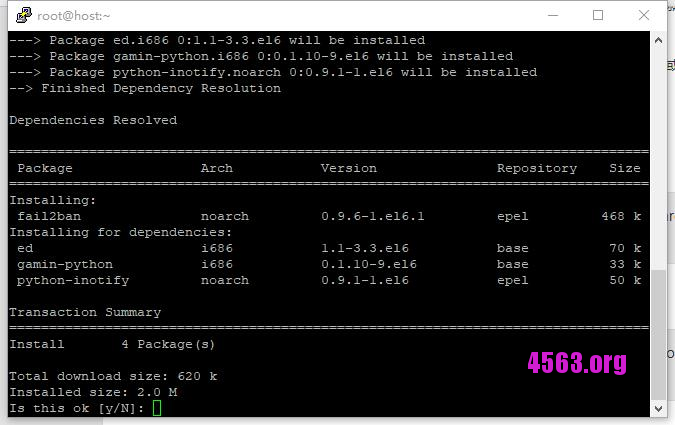
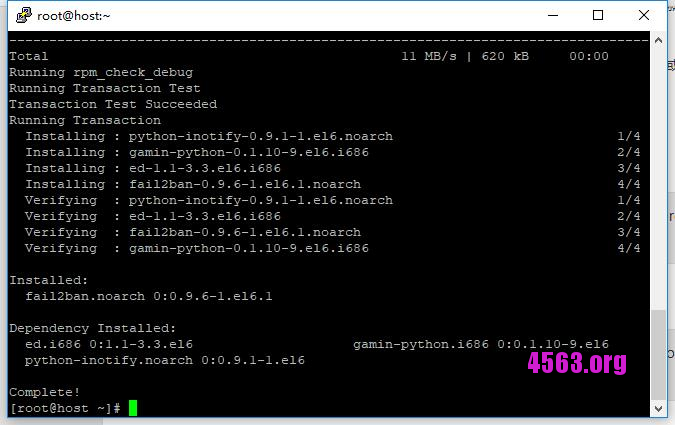
然后安装fail2ban
- yum -y install fail2ban
然后编辑配置文件/etc/fail2ban/jail.conf
- [DEFAULT]
- # “ignoreip” can be an IP address, a CIDR mask or a DNS host. Fail2ban will not
- # ban a host which matches an address in this list. Several addresses can be
- # defined using space separator.
- ignoreip = 127.0.0.1/8
- # External command that will take an tagged arguments to ignore, e.g. ,
- # and return true if the IP is to be ignored. False otherwise.
- #
- # ignorecommand = /path/to/command
- ignorecommand =
- # “bantime” is the number of seconds that a host is banned.
- bantime = 600
- # A host is banned if it has generated “maxretry” during the last “findtime”
- # seconds.
- findtime = 600
- # “maxretry” is the number of failures before a host get banned.
- maxretry = 3
- # “backend” specifies the backend used to get files modification.
- # Available options are “pyinotify”, “gamin”, “polling” and “auto”.
- # This option can be overridden in each jail as well.
- #
- # pyinotify: requires pyinotify (a file alteration monitor) to be installed.
- # If pyinotify is not installed, Fail2ban will use auto.
- # gamin: requires Gamin (a file alteration monitor) to be installed.
- # If Gamin is not installed, Fail2ban will use auto.
- # polling: uses a polling algorithm which does not require external libraries.
- # auto: will try to use the following backends, in order:
- # pyinotify, gamin, polling.
- backend = auto
- # “usedns” specifies if jails should trust hostnames in logs,
- # warn when DNS lookups are performed, or ignore all hostnames in logs
- #
- # yes: if a hostname is encountered, a DNS lookup will be performed.
- # warn: if a hostname is encountered, a DNS lookup will be performed,
- # but it will be logged as a warning.
- # no: if a hostname is encountered, will not be used for banning,
- # but it will be logged as info.
- usedns = warn
然后在/etc/fail2ban/jail.d目录新建jail.local文件,文件内容如下:
- [DEFAULT]
- # “ignoreip” can be an IP address, a CIDR mask or a DNS host. Fail2ban will not
- # ban a host which matches an address in this list. Several addresses can be
- # defined using space separator.
- ignoreip = 127.0.0.1/8,67.230.187.137,42.51.223.212,42.51.223.232,149.129.91.164,173.82.152.161
- # External command that will take an tagged arguments to ignore, e.g. ,
- # and return true if the IP is to be ignored. False otherwise.
- #
- # ignorecommand = /path/to/command
- ignorecommand =
- # “bantime” is the number of seconds that a host is banned.
- bantime = 600
- # A host is banned if it has generated “maxretry” during the last “findtime”
- # seconds.
- findtime = 600
- # “maxretry” is the number of failures before a host get banned.
- maxretry = 3
- # “backend” specifies the backend used to get files modification.
- # Available options are “pyinotify”, “gamin”, “polling” and “auto”.
- # This option can be overridden in each jail as well.
- #
- # pyinotify: requires pyinotify (a file alteration monitor) to be installed.
- # If pyinotify is not installed, Fail2ban will use auto.
- # gamin: requires Gamin (a file alteration monitor) to be installed.
- # If Gamin is not installed, Fail2ban will use auto.
- # polling: uses a polling algorithm which does not require external libraries.
- # auto: will try to use the following backends, in order:
- # pyinotify, gamin, polling.
- backend = auto
- # “usedns” specifies if jails should trust hostnames in logs,
- # warn when DNS lookups are performed, or ignore all hostnames in logs
- #
- # yes: if a hostname is encountered, a DNS lookup will be performed.
- # warn: if a hostname is encountered, a DNS lookup will be performed,
- # but it will be logged as a warning.
- # no: if a hostname is encountered, will not be used for banning,
- # but it will be logged as info.
- usedns = warn
完成后centos6系统输入以下命令启动
- service fail2ban restart
centos7系统输入以下命令启动
- systemctl restart fail2ban.service
设置centos6和centos7系统的开机启动
- CentOS 6:
- chkconfig fail2ban on
- CentOS 7:
- systemctl enable fail2ban

來涼:https://www.cheshirex.com/1632.html