跳至主要內容
  • Hostloc 空間訪問刷分
  • 售賣場
  • 廣告位
  • 賣站?

4563博客

全新的繁體中文 WordPress 網站
  • 首頁
  • Firefox掛Ebesucher點數減少 ? 解決Warning : Unresponsive Script問題即可提升
未分類
2017 年 7 月 1 日

Firefox掛Ebesucher點數減少 ? 解決Warning : Unresponsive Script問題即可提升

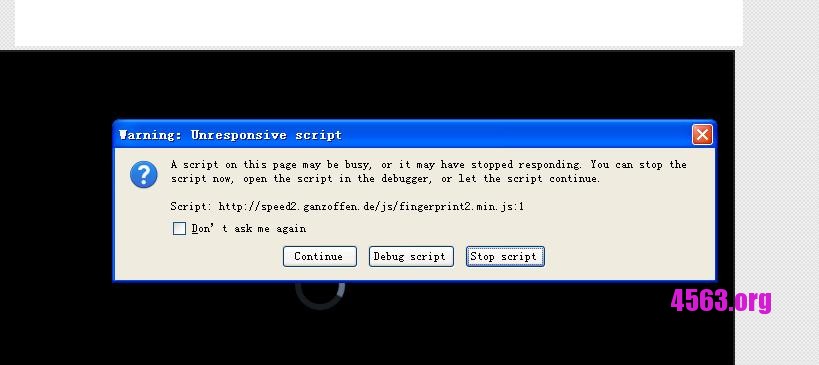
Firefox 掛Ebesucher經常出現”Warning : Unresponsive Script”彈窗

這直接影響Ebesucher的沖浪速度 , 點數亦減少了 , 深受其害~

所以只要把Warning : Unresponsive Script禁用 , 即可順暢地沖浪了


Warning : Unresponsive Script 如圖所示 :
解決方法如下 :

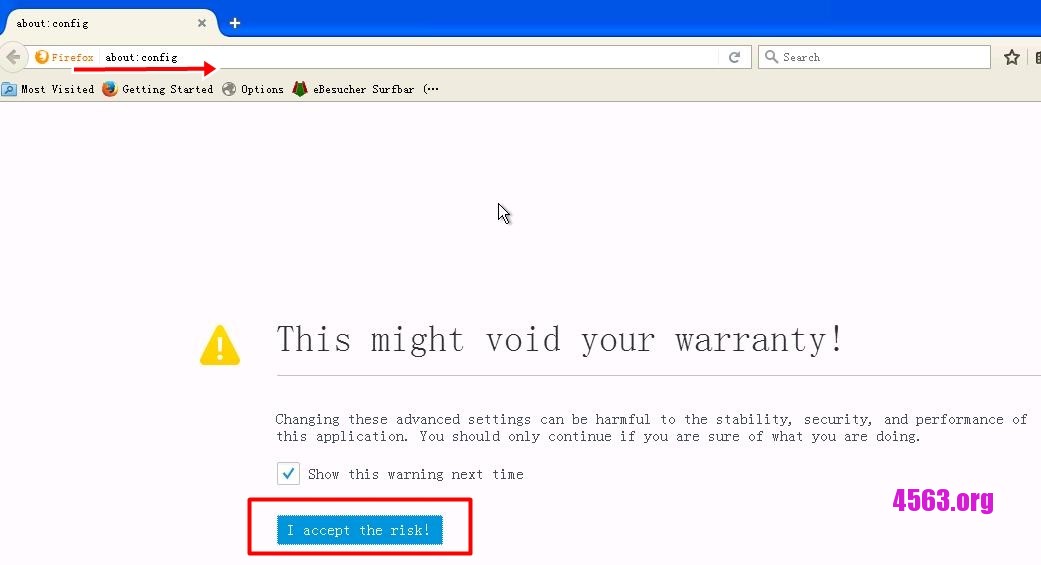
Firefox 網址 輸入 :about:config 之後點I accept the risk!
 

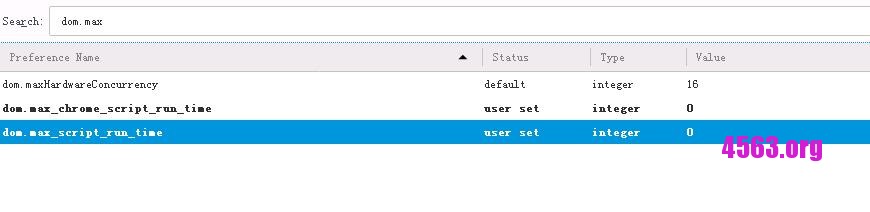
把dom.max_script_run_time 和 dom.max_chrome_script_run_time 改成0就行了..

搜索dom.max已經顯示出來了

#連點2下就可以修改了#

以下是完成圖
愉快地掛Ebesucher去了..


文章導覽

上一篇文章
下一篇文章

AD

其他操作

  • 登入
  • 訂閱網站內容的資訊提供
  • 訂閱留言的資訊提供
  • WordPress.org 台灣繁體中文

51la

4563博客

全新的繁體中文 WordPress 網站
返回頂端
本站採用 WordPress 建置 | 佈景主題採用 GretaThemes 所設計的 Memory
4563博客
  • Hostloc 空間訪問刷分
  • 售賣場
  • 廣告位
  • 賣站?
在這裡新增小工具